
Howto | Analyse Boot Speed
29 Apr 2009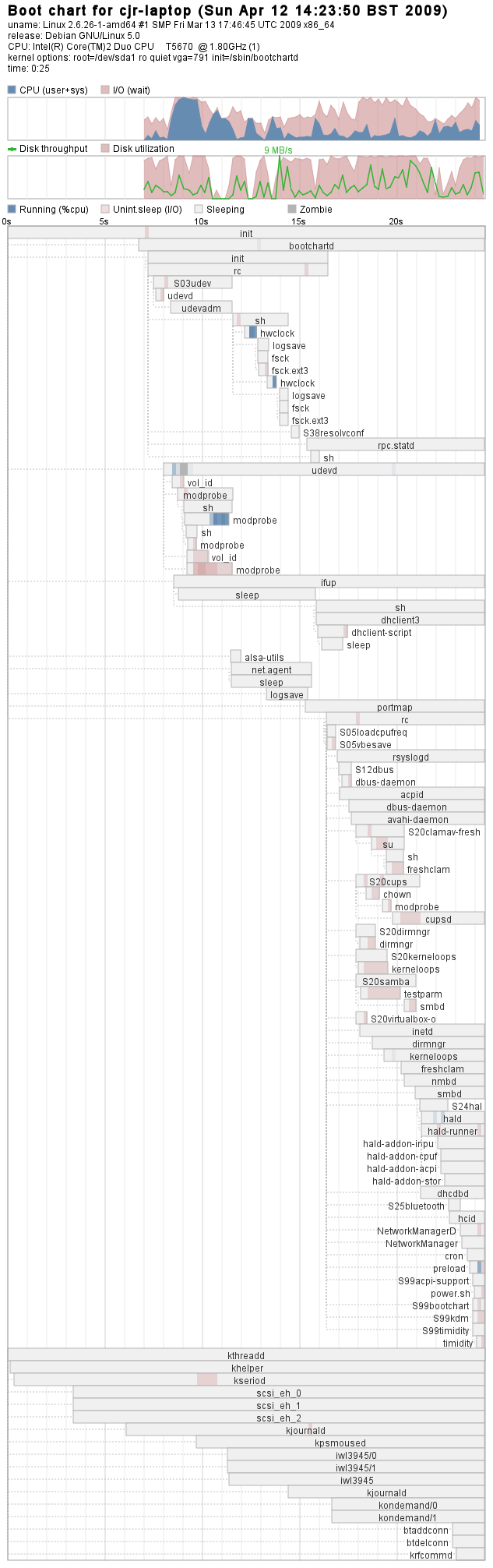
Step 1 - Install bootchart
# aptitude install bootchart
Step 2 - Update Grub
# nano /boot/grub/menu.lst
# aptitude install bootchart
# nano /boot/grub/menu.lst
Before installing Citrix presentation server, you need to install OpenMotif.
$ apt-get libmotif3
Unfortunately this is not available in Etch, so you have to get it from unstable. Add unstable to the source.list and install as follows:

After completing this installation, the clients received an error on login about port 5900 already in use. Upgrading italc-client (by temporarily adding the sid repository to /etc/apt/source.list in the chroot and re-installing italc-client) fixed this problem.
However, I was unable to get an acceptable performance from italc for shadowing, and ended up install x11vnc. See Install x11vnc on LTSP5 for more information.
Stop! I believe there are now instructions on the ‘net for installing the client on the client instead of on the server
iTalc is a “teacher tool” including screen shadowing functionality. It has replaced Thin Client Manager in Edubuntu 8.04.
All the advice about DHCP and PXEClient tells you about the ability to configure based on the client’s vendor-class-identifier string, but nowhere tells you how to find out the contents of this magical string. In fact it couldn’t really be easier, as the following instructions explain:
One thing you need to know about me is that I am rarely satisfied. For example, my laptop boots up in a very acceptable 25 seconds, but still I am looking for better. So far I have not managed to improve matters, but I did find a great tool for graphing your boot performance, and a very neat way of adding it as a grub boot option, read the following article for how to set this up:
I’ve just returned from my first Bring-a-Box meeting at Nokia in Farnborough. I found it hugely enjoyable to have people who actually want to talk about Linux.
The following command will create a resizing 10G image in your current directory:
# /usr/bin/qemu-img create -f qcow2 vdisk.img 10G
Sometimes you have to compile and install packages from source. Other times you have to install an application from a tarball. But how do you uninstall it?
$ cd /usr/src/<yourapp>
$ make uninstall
I apologise in advance for this shameless piece of self-congratulation; but a while ago I wrote about how to Recover Data from a Hard Disk, and I published it also on my local LUG’s knowledgebase. I have just received an email to say that my instructions have enabled someone to recover two years’ worth of lesson plans for a special-needs teacher. So I must admit to feeling rather pleased with myself!